free worldwide shipping | ships within 24 hours
How to Clean Camera Sensor: Complete 2026 Guide

Dust on your camera sensor is frustrating. You see dark spots in every photo. You spend hours editing them out. Learning how to clean camera sensor is essential for every photographer.
This guide covers everything you need to know about how to clean camera sensor. Safe methods. Tools you need. Mistakes to avoid. By the end, you will know exactly how to clean camera sensor without damaging your gear.
Do You Really Need to Clean Your Camera Sensor?
Before learning how to clean camera sensor, confirm you actually need to. Many photographers clean too often. This risks damage.
Signs you need to clean your camera sensor:
- Dark spots appear in the same place in every photo
- Spots are visible at f/8 or smaller apertures
- Spots remain after using a blower
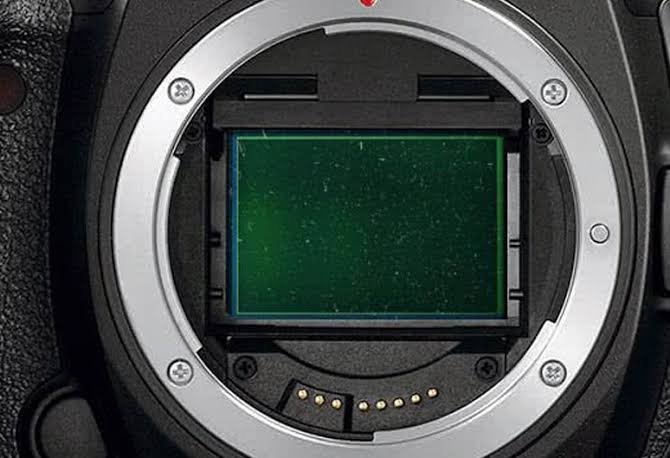
To check your sensor, set your camera to f/16 or f/22. Take a photo of a white wall or clear sky. Review the image. If you see dark spots, it is time to learn how to clean camera sensor.
Step 1: The Blower Method (Always First)
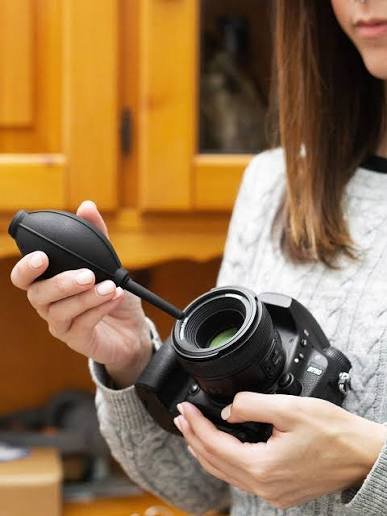
The safest way how to clean camera sensor is with a blower. This removes loose dust without touching the sensor.
How to do it:
- Turn off your camera
- Remove the lens
- Lock the mirror up (DSLR) or enable sensor cleaning mode (mirrorless)
- Hold the camera facing down
- Use a rubber blower (not canned air)
- Blow air across the sensor surface
- Repeat 3-4 times
- Reattach lens and test
This is the most important step in how to clean camera sensor. It removes 80-90% of dust without risking scratches.
Never use canned air. The propellant can leave residue. The force can damage the sensor.
Step 2: The Dry Cleaning Method
If the blower does not work, the next step how to clean camera sensor is dry cleaning. This uses a sensor brush.
How to do it:
- Turn off your camera
- Remove the lens
- Enable sensor cleaning mode
- Use a dedicated sensor brush (like VisibleDust Arctic Butterfly)
- Gently sweep the brush across the sensor
- Remove dust with static charge
- Reattach lens and test
This method is safe when done carefully. It is the next step in how to clean camera sensor before wet cleaning.
https://linktr.ee/camerioncameras.com
Step 3: The Wet Cleaning Method
If dry methods fail, you need wet cleaning. This is the most effective how to clean camera sensor method. But it carries the most risk.
Tools you need:
- Sensor swabs (correct size for your sensor)
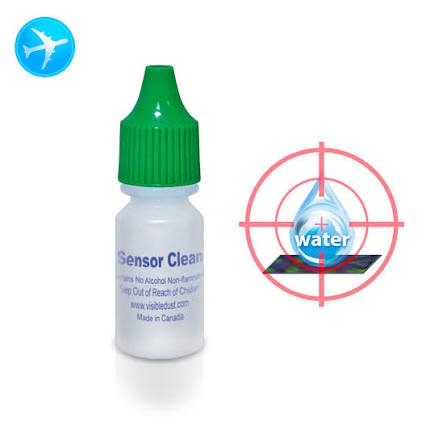
- Sensor cleaning fluid
- A clean workspace
How to clean camera sensor with wet method:
- Turn off your camera
- Remove the lens
- Enable sensor cleaning mode
- Apply 1-2 drops of cleaning fluid to the swab
- Gently swipe across the sensor from left to right
- Flip the swab and swipe back
- Discard the swab (single use only)
- Wait 1-2 minutes for fluid to dry
- Reattach lens and test
Do not use too much fluid. One drop is enough. Excess fluid can seep into the camera body. This is the most important rule when learning how to clean sensor.
What NOT to Do When Cleaning Camera Sensor
Learning how to clean camera sensor also means learning what not to do.
Common mistakes:
- Using canned air – Propellant damages sensor
- Using a microfiber cloth directly – Scratches sensor
- Using too much fluid – Seeps into camera
- Blowing with your mouth – Moisture damages sensor
- Using a Q-tip – Leaves fibers behind
- Cleaning too often – Unnecessary risk
How Often to Clean Camera Sensor
You do not need how to clean camera sensor every week. Clean only when spots appear.
When to clean:
- When dust spots are visible in photos
- After shooting in dusty environments
- After frequent lens changes
Over-cleaning risks damage. Clean only when necessary.
Frequently Asked Questions About How to Clean Camera Sensor
Can I clean my camera sensor myself?
Yes. Learning how to clean camera sensor is safe with the right tools and technique. Start with a blower. Only attempt wet cleaning if you are comfortable.
https://camerioncameras.com/product-category/camera-accessories
Is it safe to clean camera sensor at home?
Yes. The methods in this guide are safe. Follow the instructions carefully. Use proper tools. How to clean camera sensor is a skill every photographer can learn.
What tools do I need to clean camera sensor?
A rubber blower, sensor brush, and sensor swabs with cleaning fluid. These are the standard tools for how to clean camera sensor.
How much does it cost to clean camera sensor?
Professional cleaning costs $50-$100. A DIY sensor cleaning kit costs $30-$50. Learning how to clean camera sensor yourself saves money over time.
Can sensor cleaning damage my camera?
Yes, if done incorrectly. Scratching the sensor or using too much fluid can cause permanent damage. Follow the steps carefully when learning how to clean sensor.
Conclusion: Master How to Clean Camera Sensor
Learning how to clean camera sensor is an essential skill. It saves money. It removes frustration. It keeps your images clean.
Start with a blower. Move to dry cleaning. Only use wet cleaning when needed. Follow the steps carefully. Your sensor will stay clean for years.
Protect your gear. Master how to clean camera sensor today.